
CPU vs GPU for AI — Simple Guide
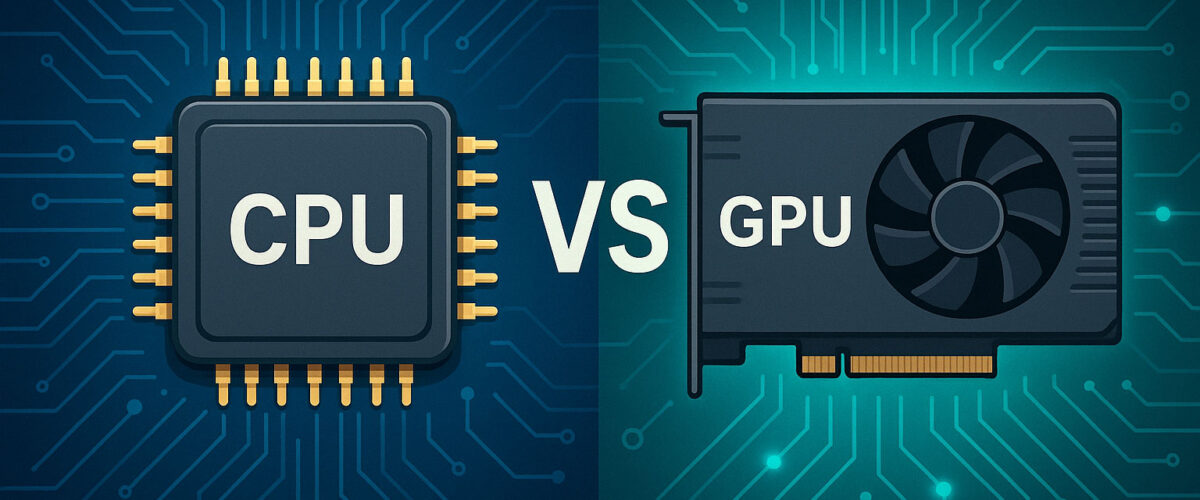
Choosing between a CPU and a GPU for AI work comes down to one thing: how much parallel maths you need to do, and how fast you need the answers. In this guide, I’ll break down the core differences between CPUs and GPUs for AI, using practical, infrastructure-level examples rather than vague marketing claims. We’ll look at how each behaves for training and inference, where bottlenecks really occur, and how they fit into a modern LLM hosting and infrastructure stack.
I’ve spent more than a decade working with Tech systems and back-end infrastructure: from small CPU-only prototypes up to GPU clusters running large language models behind low-latency APIs. What follows is a simple but accurate mental model: we’ll cover architecture basics, training vs inference, cost trade-offs, common misconfigurations, and a short checklist you can follow before you spend money on hardware or cloud instances.
By the end, you’ll understand when a CPU is enough, when a GPU is non-negotiable, and how they work together in production LLM hosts, so you can design smarter, more reliable deployments.
The problem CPUs and GPUs are trying to solve in AI
Most modern AI, especially deep learning and large language models, boils down to the same core operation repeated billions of times: multiplying and adding matrices of numbers. You can think of it as doing huge spreadsheets of calculations, where every cell depends on the ones next to it.
The problem is not that the operations are deeply complicated; it’s that there are so many of them. For a large model, even a single forward pass can involve millions or billions of floating-point operations. Do that once and a CPU copes. Do that thousands of times per second across many users, and you need massive parallelism.
CPUs and GPUs both process these numbers, but they’re designed in very different ways:
- CPUs are general-purpose, latency-optimised chips. They’re brilliant at doing many different tasks, one after the other, with a lot of control and branching.
- GPUs are throughput-optimised chips. They’re built to do the same kind of operation on huge arrays of data in parallel.
AI workloads are dominated by highly parallel linear algebra, so GPUs map very naturally to the problem. But that doesn’t mean CPUs are obsolete; they still run the surrounding infrastructure, pre- and post-processing, and many lighter models perfectly well.
Quick definitions: what is a CPU and what is a GPU?
CPU in plain terms
A CPU (Central Processing Unit) is the “generalist” of the computing world. It has a small number of powerful cores, each capable of handling complex instructions, branching logic, and a wide variety of tasks. It shines when:
- You have a lot of different tasks that aren’t identical.
- Your code includes many
if/elsebranches and random memory accesses. - Latency of a single task matters more than the total number of tasks per second.
In an AI context, the CPU usually:
- Loads data from storage and prepares batches.
- Runs tokenisation, feature engineering or text normalisation.
- Handles HTTP requests, authentication and orchestration logic.
- Sometimes runs small models or light-weight inference.
GPU in plain terms
A GPU (Graphics Processing Unit) is a “specialist” built originally for rendering graphics. It has thousands of smaller, simpler cores that can perform the same operation on many pieces of data simultaneously. It shines when:
- You have very similar operations over large arrays (like matrix multiplications).
- You care about total throughput (how many operations per second) more than individual task latency.
- Your workload can be batched and parallelised easily.
In AI, the GPU typically:
- Executes the heavy tensor operations in training and inference.
- Stores model weights in high-bandwidth VRAM close to the compute cores.
- Enables mixed-precision operations (FP16, BF16) to squeeze more performance per watt.
CPU vs GPU at a glance
| Aspect | CPU | GPU |
|---|---|---|
| Core design | Few, powerful, complex cores | Many, smaller, simpler cores |
| Optimised for | General-purpose tasks, branching, low latency | Massively parallel numerical workloads |
| Typical AI role | Data prep, orchestration, light inference | Model training and heavy inference |
| Memory | Large system RAM, lower bandwidth | VRAM, high bandwidth but limited capacity |
| Best fit | Control-heavy logic and small models | Matrix-heavy, batched workloads |
How AI workloads actually look under the hood
To understand why GPUs are often necessary, it helps to visualise what your AI workload is really doing:
- Training means repeatedly feeding data through the model, computing a loss, and adjusting weights using gradients. This is compute-heavy and extremely parallel.
- Inference means taking trained weights, feeding in new data, and producing outputs. This can be light or heavy depending on the model size and latency target.
Both training and inference mostly consist of:
- Matrix multiplications (e.g. multiplying a batch of inputs by a weight matrix).
- Elementwise operations (activations like GELU or ReLU).
- Normalisation and attention operations in transformers.
These operations are highly parallel. You can process different elements of the matrix at the same time with almost no dependency between them. That is exactly the pattern GPUs are built for.
CPUs can do these operations as well, and modern CPUs have vector instructions (AVX, AVX-512) that process multiple numbers in a single instruction. But there are simply fewer execution units and less memory bandwidth compared to modern GPUs. As a result, if you throw a large transformer model at a CPU, it will do the job… slowly.
Why GPUs dominate AI training
In practice, anything beyond relatively small models almost always uses GPUs for training. There are three main reasons.
Massive parallelism
Training involves repeatedly performing the same operations over huge tensors. GPUs can run tens of thousands of threads in parallel, each working on different elements of those tensors. This means:
- You can process large batches in a single forward pass.
- You can exploit data parallelism by copying the model across multiple GPU devices.
- You can still maintain decent utilisation with complex models like transformers.
High-bandwidth VRAM
Model weights and activations must be read from memory and written back constantly. VRAM is much closer to the GPU cores and typically offers far higher bandwidth than system RAM. This reduces the likelihood that your math units sit idle waiting for data.
Mixed-precision and specialised units
Modern GPUs include specialised hardware such as tensor cores. These excel at mixed-precision matrix operations (for example FP16, BF16), giving a huge boost in throughput without significantly hurting model quality when used correctly.
Training suitability: CPU vs GPU
| Training Criterion | CPU Rating | GPU Rating |
|---|---|---|
| Raw training speed | ★★☆☆☆ | ★★★★★ |
| Energy efficiency | ★★☆☆☆ | ★★★★☆ |
| Scalability to many devices | ★★☆☆☆ | ★★★★☆ |
| Ease of setup | ★★★☆☆ | ★★★☆☆ |
You can train on CPUs, and for tiny models that may even be the simplest option. But for anything moderately large, the speed difference is so dramatic that training on a GPU (or a cluster of them) is the only realistic choice.
Where CPUs still matter for AI
Despite the focus on GPUs, CPUs remain absolutely critical in real deployments. In most LLM stacks, the GPU is just one part of a larger system, and the CPU is the control plane.
Orchestration and glue code
CPUs run:
- Web servers and API gateways.
- Authentication, rate limiting, logging and metrics.
- Scheduling logic that decides which request goes to which GPU.
All the “decision-making” logic that routes user requests to the correct model instance lives on CPU cores.
Pre-processing and post-processing
A typical LLM inference request is not just a single forward pass:
- You receive raw text or structured data.
- You clean it, normalise it and tokenise it.
- After inference, you detokenise, post-process, filter, and format the output.
Many of these steps run on CPUs and can become bottlenecks if under-provisioned. I’ve seen systems where the GPU was only 40% utilised because the CPUs were stuck tokenising input too slowly.
Small models and edge deployments
For small models and traditional ML (for example, linear models, tree ensembles, simple CNNs), a CPU might be completely adequate:
- On embedded devices where there is no discrete GPU.
- For low-traffic services where per-request latency is not critical.
- For lightweight models used in batch analytics jobs overnight.
In these scenarios, the complexity and cost of GPUs may not be justified.
CPU vs GPU for different AI scenarios
The right choice depends heavily on your use case. Here’s a practical view, based on how deployments actually behave rather than theoretical benchmarks.
| Scenario | Recommended Primary Compute | Reasoning |
|---|---|---|
| Learning, prototyping small models | CPU or single consumer GPU | CPUs are fine for toy datasets; a consumer GPU speeds things up but isn’t mandatory. |
| Fine-tuning medium LLMs | Dedicated GPU(s) | The parameter count and sequence lengths make CPU-only training impractically slow. |
| High-traffic LLM API with low latency targets | GPU cluster + CPU orchestration | Throughput needs and latency SLAs demand high parallelism and VRAM bandwidth. |
| Offline batch scoring of classic ML models | CPUs | Workloads are often I/O bound or light enough that CPUs are more cost-effective. |
| On-device inference on laptops or mobiles | CPUs / integrated GPUs / NPUs | Power and form-factor constraints limit discrete GPU usage; small models on CPU can be fine. |
Cost and utilisation: where people go wrong
One of the most common mistakes I see is teams renting powerful GPUs and then only using a fraction of their capacity. Under-utilised GPUs are expensive ornaments.
Over-specifying GPUs
Teams often:
- Pick the largest GPU available “for future-proofing”.
- Use only a fraction of the VRAM because the model is relatively small.
- Run with very conservative batch sizes, leaving cores idle.
You can usually get better economics by:
- Choosing a GPU that fits the model tightly in VRAM with some headroom.
- Increasing batch size during training or using microbatching during inference.
- Measuring utilisation and right-sizing instances over time.
Ignoring CPU bottlenecks
On the flip side, it’s easy to starve the GPU by under-provisioning CPUs:
- Tokenisation and pre-processing run on a small number of CPU cores.
- Network and I/O have not been tuned, causing slow data delivery to the GPU.
- Background tasks (logging, metrics, sidecars) steal CPU cycles during load spikes.
In a well-tuned system, both CPU and GPU are sized to keep each other busy without significant idle time. That balance is a core part of any serious LLM hosting and infrastructure guide.
Common misconfigurations and pitfalls
Here are the issues I encounter most often when teams first deploy AI workloads.
Using CPU-only for workloads that clearly need a GPU
Symptoms:
- Training jobs that take days instead of hours.
- Inference endpoints with inconsistent or high latency.
- Developers avoiding experimentation because iteration cycles are too slow.
If your model is large and your iteration cycles are painful, moving to a GPU is usually the single biggest productivity win.
Oversizing the model relative to available VRAM
Another mistake is choosing a model that does not comfortably fit in GPU memory:
- Running very close to the VRAM limit triggers frequent out-of-memory errors.
- Gradient checkpointing and offloading add complexity and can hurt performance.
- Developers spend more time fighting memory errors than improving the product.
A slightly smaller model that fits cleanly into VRAM and allows a decent batch size often delivers more real-world value than a giant model that constantly breaks.
Not monitoring GPU utilisation and memory
Teams sometimes treat GPUs as a black box. Without monitoring:
- You do not know if the GPU is 20% or 80% utilised.
- You cannot tell whether you are compute-bound or I/O-bound.
- You miss optimisation opportunities like adjusting batch size or caching hot prompts.
Basic dashboards for utilisation, memory usage, and queue length are non-negotiable for production LLM workloads.
Underestimating data pipelines
For large training jobs, the data pipeline can become the bottleneck:
- Slow storage or network access to training data.
- Single-threaded data loaders running on CPU.
- No caching or sharding strategy for big datasets.
In these cases, adding more GPUs does not make training faster; it just adds cost. You need to tune the CPU, I/O and data loaders first.
How CPUs and GPUs work together in a real LLM hosting stack
In a well-designed system, CPUs and GPUs are not competitors; they are partners. A simplified flow for an LLM API might look like this:
- The user sends an HTTP request to your API gateway (CPU).
- Authentication, rate limiting and routing happen (CPU).
- The text is cleaned and tokenised (CPU).
- The tokenised input is sent to a model server bound to a GPU.
- The GPU performs the forward pass and generates tokens.
- The CPU detokenises and post-processes the output.
- The response is returned to the user.
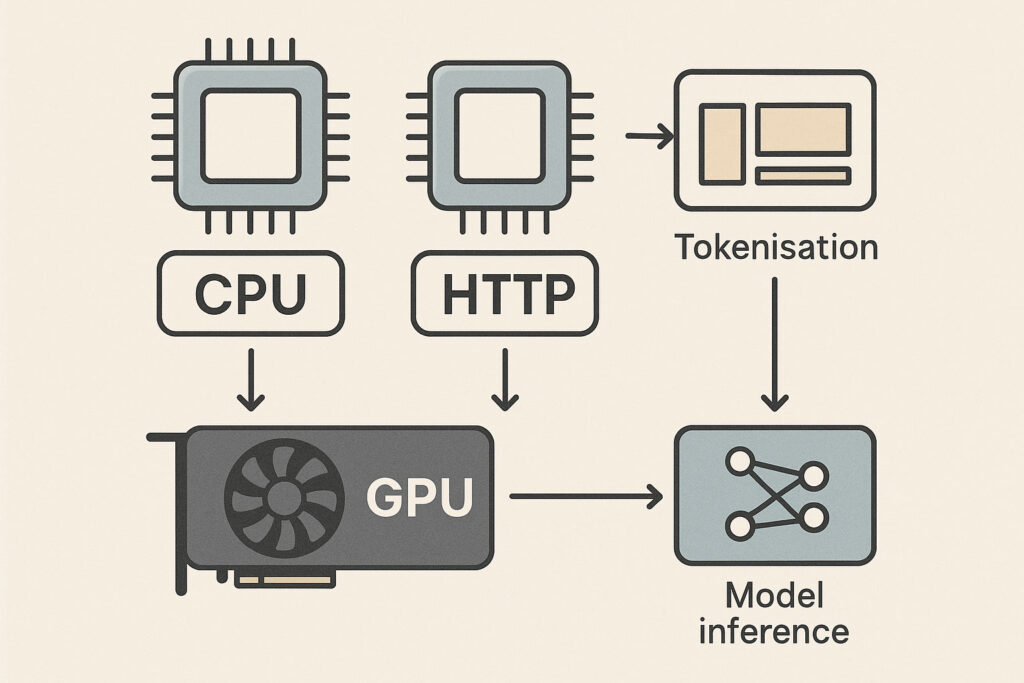
Within that flow:
- CPUs manage concurrency, state, control flow and surrounding services.
- GPUs execute the tight inner loop of model inference.
If you design your system with that division in mind, you’ll find it much easier to reason about scaling and cost. You scale CPU instances to cope with request volume and orchestration complexity, and you scale GPU instances to match your model’s compute and VRAM needs.
Practical checklist: do you actually need a GPU?
Use this quick checklist before committing to GPU hardware or cloud instances.
Workload characteristics
- Model size: Does the model have enough parameters that a single forward pass on CPU takes more than a second or two?
- Traffic: Do you expect many concurrent requests, not just occasional use?
- Latency targets: Do you need sub-second responses for interactive use?
- Batching potential: Can you group requests into batches without harming UX?
Development and iteration
- Training needs: Are you fine-tuning or training models regularly?
- Experimentation speed: Do slow training runs hinder experimentation?
- Team size: Will multiple people share the same hardware for experiments?
Infrastructure and cost
- Utilisation plan: Do you have a plan to keep the GPU reasonably busy?
- Monitoring: Can you track utilisation, memory, and latency?
- Right-sizing: Can you adjust instance type or number of GPUs over time?
Simple rule of thumb
- If you only run small models occasionally and latency is not critical, stick with CPUs.
- If you are training or fine-tuning deep models, you almost certainly want at least one GPU.
- If you are serving a popular LLM-backed product with interactive latency targets, plan on GPUs plus a solid CPU-based control plane.
CPU vs GPU: quick decision table
| Need | Best Choice | Notes |
|---|---|---|
| Lowest hardware cost, low traffic | CPU | Single server with enough RAM and cores is usually sufficient. |
| Training large neural networks | GPU | Consider one or more GPUs with enough VRAM for your model and batch size. |
| High-concurrency chatbots / LLM APIs | GPU + CPU | GPU for inference; CPU for routing, tokenisation, logging and rate limiting. |
| Batch analytics with classic ML models | CPU | Often more I/O bound than compute bound; CPUs are cost-effective. |
| Edge inference with tight power limits | CPU / NPU / integrated GPU | Optimised small models on CPU can be ideal here. |
Star-rated summary: CPU vs GPU for common AI dimensions
| Dimension | CPU | GPU |
|---|---|---|
| Training performance | ★☆☆☆☆ | ★★★★★ |
| Inference performance (large models) | ★★☆☆☆ | ★★★★★ |
| Inference performance (small models) | ★★★★☆ | ★★★★☆ |
| Flexibility for non-AI workloads | ★★★★★ | ★★★☆☆ |
| Ease of deployment | ★★★★☆ | ★★★☆☆ |
| Hardware cost per node | ★★★★☆ | ★★☆☆☆ |
CPU vs GPU for AI FAQs
No. For learning the basics, implementing small models, and understanding the maths and code, a CPU is perfectly adequate. You may have to wait longer for training runs, but you will still learn the core concepts. When your experiments begin to feel constrained by speed, that is a good signal to consider a GPU.
Often, yes. Many people use gaming GPUs for serious AI experiments, especially for personal projects or small teams. The main limitations are VRAM amount and driver support. If your model fits comfortably in VRAM and you can use the necessary libraries (for example PyTorch or TensorFlow), a gaming GPU can be extremely cost-effective.
It depends on the model size, sequence length, and whether you are training or only doing inference. For small fine-tuning tasks and inference on modest models, something in the range of 8–16 GB can be workable. Larger LLMs and long context windows can require significantly more. A practical approach is to start with a model size that clearly fits within your VRAM, measure performance, then scale up as needed.
Yes, and in most production environments you will. Some nodes are CPU-only (for web servers, databases, background jobs), while others are GPU-enabled for training or inference. Modern orchestration platforms let you schedule workloads to nodes with the appropriate hardware, making it straightforward to run a mixed cluster.
Specialised accelerators such as TPUs, NPUs and custom AI chips sit alongside GPUs in this space. They can offer excellent performance for certain workloads, but they also come with ecosystem and tooling constraints. From an infrastructure perspective, the same high-level logic applies: accelerators are used for the heavy numerical parts of training and inference, while CPUs continue to run orchestration, pre-processing and general application logic.
Generally, no. It is tempting to “just use GPUs everywhere”, but that can lead to wasted spend and operational complexity. Many tasks in your stack are not GPU-bound at all. You will usually get better value by:
Using GPUs precisely where AI workloads demand them.
Keeping the rest of your stack on CPU-focused instances.
Monitoring utilisation and right-sizing over time.
Key takeaways
- CPUs are general-purpose, flexible and still essential for orchestration, pre-/post-processing and many small models.
- GPUs excel at massively parallel maths and are usually required for training and serving large modern AI models efficiently.
- The best systems treat CPUs and GPUs as complementary: CPUs handle control and data flow; GPUs handle heavy tensor operations.
- Misconfigurations often stem from ignoring utilisation, over-sizing models relative to VRAM, or under-provisioning CPUs.
- A simple checklist around model size, latency targets, traffic, and utilisation will guide you towards the right mix of CPU and GPU for your AI workloads.
Done well, choosing between CPU and GPU is less about chasing the latest hardware and more about designing a balanced, observable system. Once you think in those terms, decisions about where to run each part of your AI stack become far simpler and more predictable.
If you found this content helpful,please consider sharing!:
More in AI
